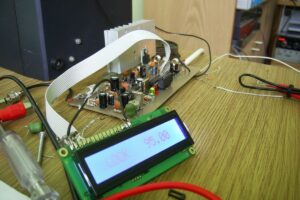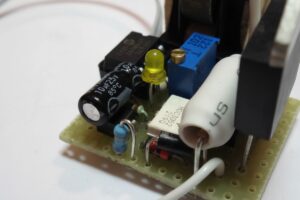
No need for a key, card, or password. You can operate it simply by using your fingerprint. In this project, a very simple fingerprint-based access control system was designed using the PIC16F628A microcontroller. The system allows access only to people whose fingerprints have been previously registered. It operates with the logic of a biometric electronic lock.
PIC16F628A DY50 Biometric Sensor Communication
Contents
Communication between the PIC16F628A and the DY50 sensor is provided through the PIC16F628 UART module at the sensor’s default setting of 57600 baud.
Since the DY50 sensor operates at 3.3 V, level shifting is required on the serial communication lines.
On the lines going from the sensor to the PIC16F628 (3.3 V → 5 V), level shifting has been performed using two general-purpose BC548 transistors.
This process is especially important for stable operation of the PIC16F628 UART at high baud rates.
For the line going from the PIC16F628 to the DY50 sensor (5 V → 3.3 V), a simple voltage divider was preferred.
Note: Some biometric sensor models have 5 V tolerance on their RX and TX lines. Before removing the transistors and the voltage divider from the circuit, the sensor’s datasheet must be checked.
In most similar projects on the internet, fingerprint registration operations are performed via a computer or an LCD screen. In this project, since the main goal is to create a low-cost and simple system, the use of a computer or LCD was deliberately avoided. Instead, only LED indicators were used to show system states.
Fingerprint Lock Circuit Schematic PIC16F628A DY50

Fingerprint Registration Process
Before the system is used for the first time, an administrator fingerprint must be registered. The administrator has the authority to add other users’ fingerprints to the system.
Registering the Administrator Fingerprint
After power is applied, when led_com_ok starts blinking rapidly, it indicates that communication has been established between the PIC16F628 and the DY50 sensor. At the same time, led_finger turns on.
When the “sw_prog” button is pressed, led_prog turns on.
Place your finger properly on the DY50 sensor.
When “led_finger” turns off, lift your finger and place it again.
If “led_finger” blinks several times, the registration process has been completed successfully.
Note: It is recommended to register two different fingers for the administrator: one for administrator operations and the other for normal access.
User Fingerprint Registration
The administrator scans the finger assigned for this operation on the sensor. If the system accepts it, “led_prog” turns on.
The user is asked to place their finger properly on the sensor.
When “led_finger” turns off, the finger is lifted and placed again.
If “led_finger” is blinking, registration is complete.
The user is asked to scan the same finger again; the lock should activate and “led_acesso_ok” should turn on. The same steps are repeated for other users.
Warning: Some people may have fingerprint wear caused by their occupation. In this case, the sensor may not be able to register the fingerprint and “led_erro” may turn on. It is recommended to choose the finger with the clearest fingerprint.
Deleting All Fingerprints (DY50 Flash Clearing)
The sw_del_lib button is used to delete all registered fingerprints. This operation can only be performed during the initial system startup.
“sw_del_lib” is held down.
Then the reset button is pressed and released.
“sw_del_lib” is held down until “led_prog” starts blinking.
After this operation, all access is disabled, and all fingerprints, including the administrator’s, must be registered again.
Note: There is no need to erase the flash memory to change the administrator. A new administrator finger can simply be registered with “sw_prog”.
Power Supply and Lock Driving Information
The circuit must be powered with stabilized 5V DC. USB phone charger adapters or classic power supplies with a 7805 regulator can be used.
The relay coil must be 5V, and its contacts must be able to easily carry the current drawn by the lock.
The electric lock may be AC (110V/220V) or DC (12V/24V). For DC voltage locks, a separate high-power power supply is required.
When a valid fingerprint is detected, the lock becomes active for approximately 2 seconds. This duration can be changed through the software.
The project software files were prepared with 4 different compilers;
- CCS C Compiler V3.2
- MPLAB XC8
- Great Cow BASIC
- MPLAB IDE V6.61
source: picsource.com.br/archives/12430/