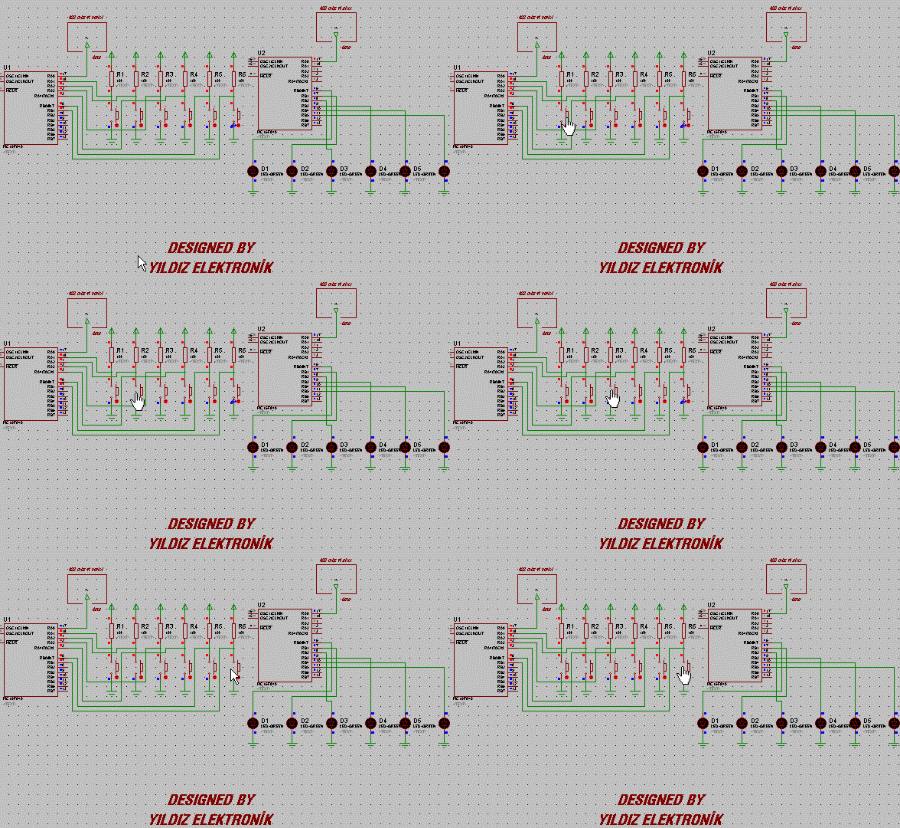
In the initial state of the circuit, when a button is pressed, the corresponding LED lights up, but when the button is released, it does not go out, until another button is pressed. In other words, one LED was always lit in the circuit.
In the program, data information was sent only when the buttons were pressed. In addition to this, I sent data information both when the buttons are pressed and when they are not pressed, and when you leave the relevant LED on while the buttons are pressed (the commands I added come into play here), I turned it off.
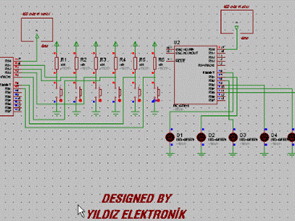
RF Transceiver Schematic
IF PORTA.1=0 THEN
TRANSMITTER=10
SEND GOSUB
ENDIF
In the first state of the program, the control of the buttons was done only with the above commands and only when the button was pressed. When we released the button, it was not doing anything. In order for the program to work as we want, the following command lines were written separately for all buttons.
IF PORTA.1=1 THEN
TRANSMITTER=15
SEND GOSUB
ENDIF
Basically, the codes we added are the same as the pattern above.
In the first program, data was sent only when the buttons were pressed, we made the circuit as we wanted by sending data when the button was not pressed.
The following command line was used in the receiver part of the circuit. As you can see, there was only HIGH housing and this command was only used to light the LED.
IF BUYER=10 THEN
HIGH PORTB.0
ENDIF
We added the following command lines to turn off the LED, so the LED would stay off when the button was not pressed. To turn the LED off, we used the LOW command to keep the LED off.
IF BUYER=15 THEN
LOW PORTB.0
ENDIF
RF Transceiver Circuit proteus isis schematic simulation fles and PIC16F84 picbasic pro source code: