Proton içine easyhid kurulumu ve pic18f2550 usb veri gönderimi uygulamasını bir okurumuz ulaştırdı kendisine (isim belirtilmedi) kendisine Teşekkür ederim.
Uygulamanın kaynak kodları isis simülasyon dosyası ve örnek bilgisayar programı bulunuyor. Ayrıca Proton ile pic programlamaya yeni başlayan kişiler için “Proton Plus ile PIC Programlama” derslerini incelemerinde fayda var
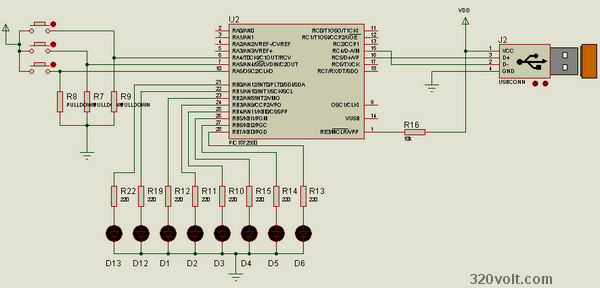
İsisdevre şeması;
18f2550.bas yazılım içeriği;
Device = 18F2550
XTAL = 48


' descriptor file, located in incusb_18 - a copy
' is located in the same folder as this file
USB_DESCRIPTOR = "USBProjectDESC.inc"
' USB Buffer...
' Buffer Haritası
' Buffer[1] = PORTA , Buffer[2] = PORTB
Symbol USBBufferSizeMax = 8
Symbol USBBufferSizeTX  = 8
Symbol USBBufferSizeRX  = 8
Dim    USBBuffer[USBBufferSizeMax] As Byte

' some useful flags...
Dim PP0 As Byte SYSTEM        ' USBPOLL status return
Symbol CARRY_FLAG = STATUS.0  ' high if microcontroller does not have control over the buffer
Symbol ATTACHED_STATE = 6     ' is USB attached

' ************************************************
' * main program loop - remember, you must keep the USB      *
' * connection alive with a call to USBPoll, USBIn or USBOut *
' * every couple of milliseconds or so                       *
' ************************************************

' *******************************
TRISA = %01110000
TRISB = %00000000
' *******************************

GoSub AttachToUSB

ProgramLoop:

   USBBuffer[1] = PORTA                       'portA bilgilerini gönderecek
   USBOut 1, USBBuffer, USBBufferSizeTX
   PORTB = USBBuffer[2]                           'buffer2 yi port b de yansıtacak
   USBIn 1, USBBuffer, USBBufferSizeRX, ProgramLoop
   PORTB = USBBuffer[2]

   GoTo ProgramLoop

' ****************************************
' * receive data from the USB bus                            *
' ****************************************
DoUSBIn:
   USBIn 1, USBBuffer, USBBufferSizeRX, DoUSBIn
   Return

' ************************************
' * transmit data                                            *
' ***********************************
DoUSBOut:
   USBOut 1, USBBuffer, USBBufferSizeTX, DoUSBOut
   Return

' ***************************************
' * wait for USB interface to attach                         *
' ***************************************
AttachToUSB:
   Repeat
      USBPoll
   Until PP0 = ATTACHED_STATE
   Return
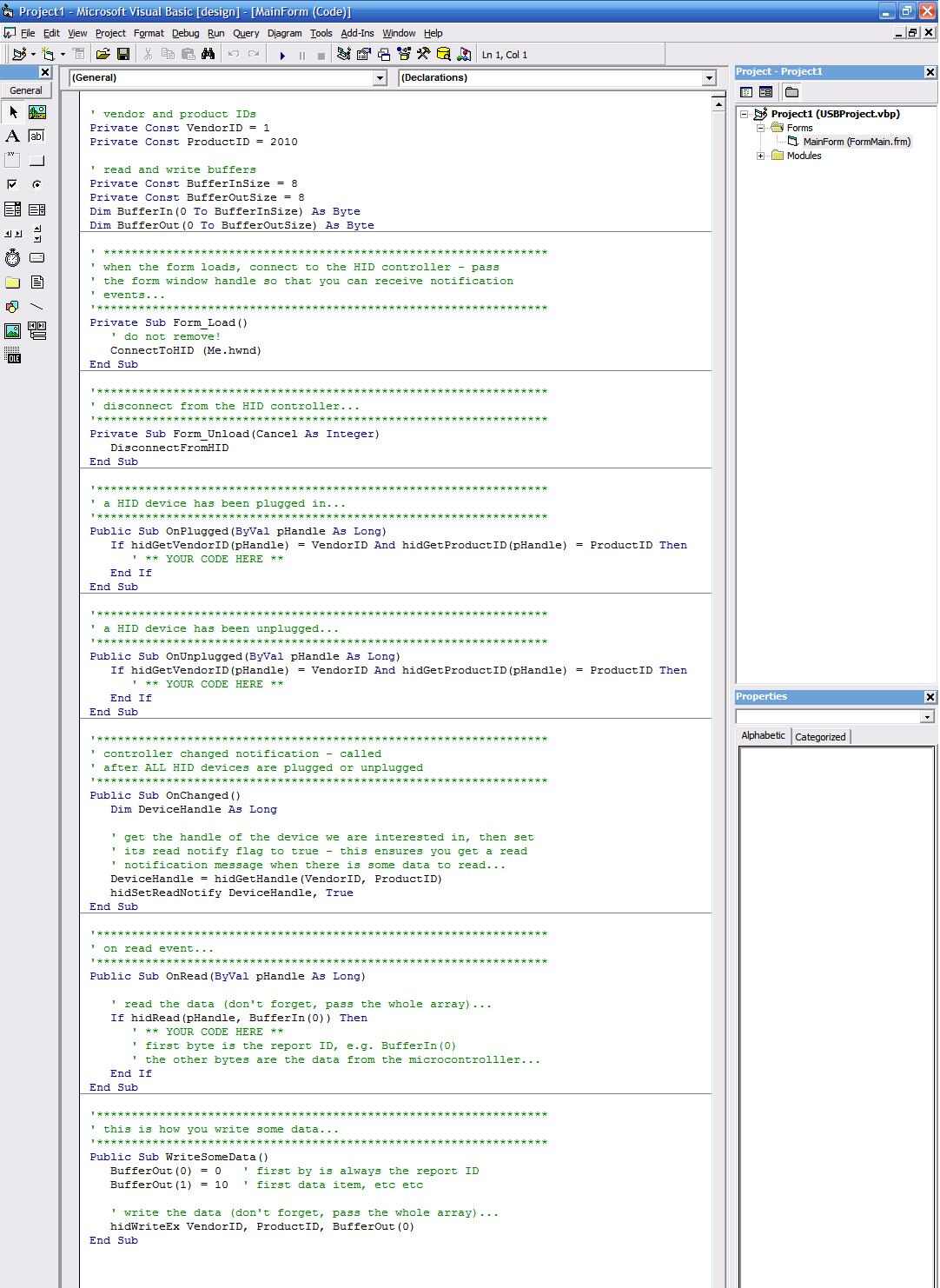
Yazılım içeriği;
' vendor and product IDs
Private Const VendorID = 6114
Private Const ProductID = 2010

' read and write buffers
Private Const BufferInSize = 8
Private Const BufferOutSize = 8
Dim BufferIn(0 To BufferInSize) As Byte
Dim BufferOut(0 To BufferOutSize) As Byte

Private Sub Command1_Click()

BufferOut(4) = Val(Text1.Text)
hidWriteEx VendorID, ProductID, BufferOut(0)
End Sub


Private Sub Form_Load()
   ' do not remove!
   ConnectToHID (Me.hwnd)
End Sub

Private Sub Form_Unload(Cancel As Integer)
   DisconnectFromHID
End Sub

Public Sub OnPlugged(ByVal pHandle As Long)
   If hidGetVendorID(pHandle) = VendorID And hidGetProductID(pHandle) = ProductID Then
      ' ** YOUR CODE HERE **
   End If
End Sub

Public Sub OnUnplugged(ByVal pHandle As Long)
   If hidGetVendorID(pHandle) = VendorID And hidGetProductID(pHandle) = ProductID Then
      ' ** YOUR CODE HERE **
   End If
End Sub

Public Sub OnChanged()
   Dim DeviceHandle As Long

   DeviceHandle = hidGetHandle(VendorID, ProductID)
   hidSetReadNotify DeviceHandle, True
End Sub

Public Sub OnRead(ByVal pHandle As Long)

   ' read the data (don't forget, pass the whole array)...
   If hidRead(pHandle, BufferIn(0)) Then

   End If
End Sub


Public Sub WriteSomeData()
   BufferOut(0) = 0   ' first by is always the report ID
   BufferOut(1) = 10  ' first data item, etc etc

   ' write the data (don't forget, pass the whole array)...
   hidWriteEx VendorID, ProductID, BufferOut(0)
End Sub

Private Sub Text1_Change()
If Val(Text1.Text) > 255 Then Text1.Text = ""
End Sub

Private Sub Text1_KeyPress(KeyAscii As Integer)
If KeyAscii = 8 Then Exit Sub
If IsNumeric(Chr(KeyAscii)) = False Then KeyAscii = 0
End Sub

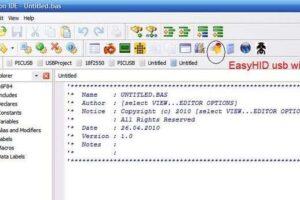
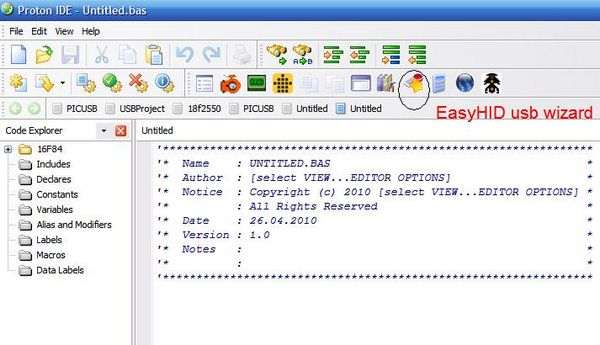
1. adım : proton basic ve içersine easyhid kuruyoruz. ardından easyhid simgesinie tıklıyoruz.
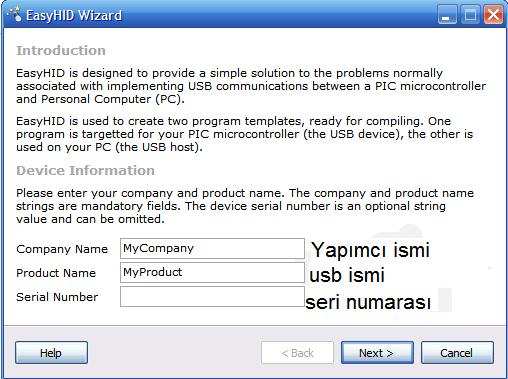
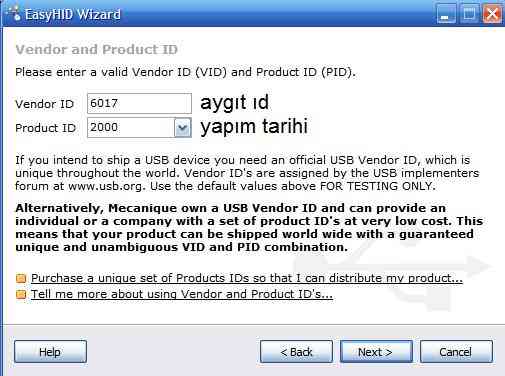
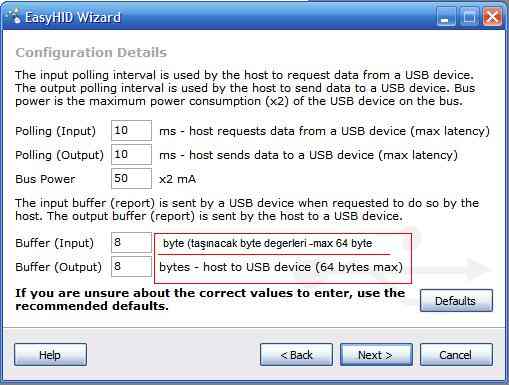
Polling zamanları usb`nin takılı algılanmasını sağlayacak kodların gönderileceği zaman aralıklarıdır . pos power çekilecek max akım değerleri. (500ma üzeri zarar verebilir) buffer in / out = gönderilecek veya alınacak data ların byte olarak uzunluğudur . bir defa da max 64 byte veri transferi yapılabiliyor.
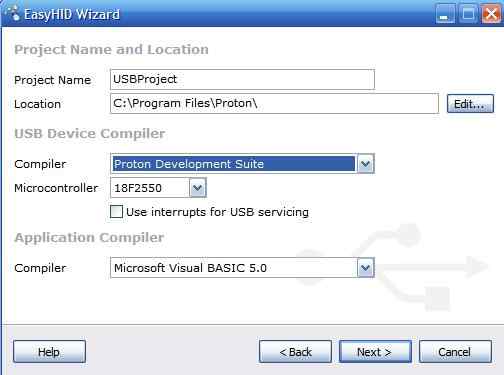
- project name = kayıt klasörünün proje ismi , location proje nin kayıt klasörünün yeri.
- complier = kullanılacak derleyici
- Microcontroller = kullanılacak pic
- complier = pc tarafında kullanılacak derleyici basic olur c olur
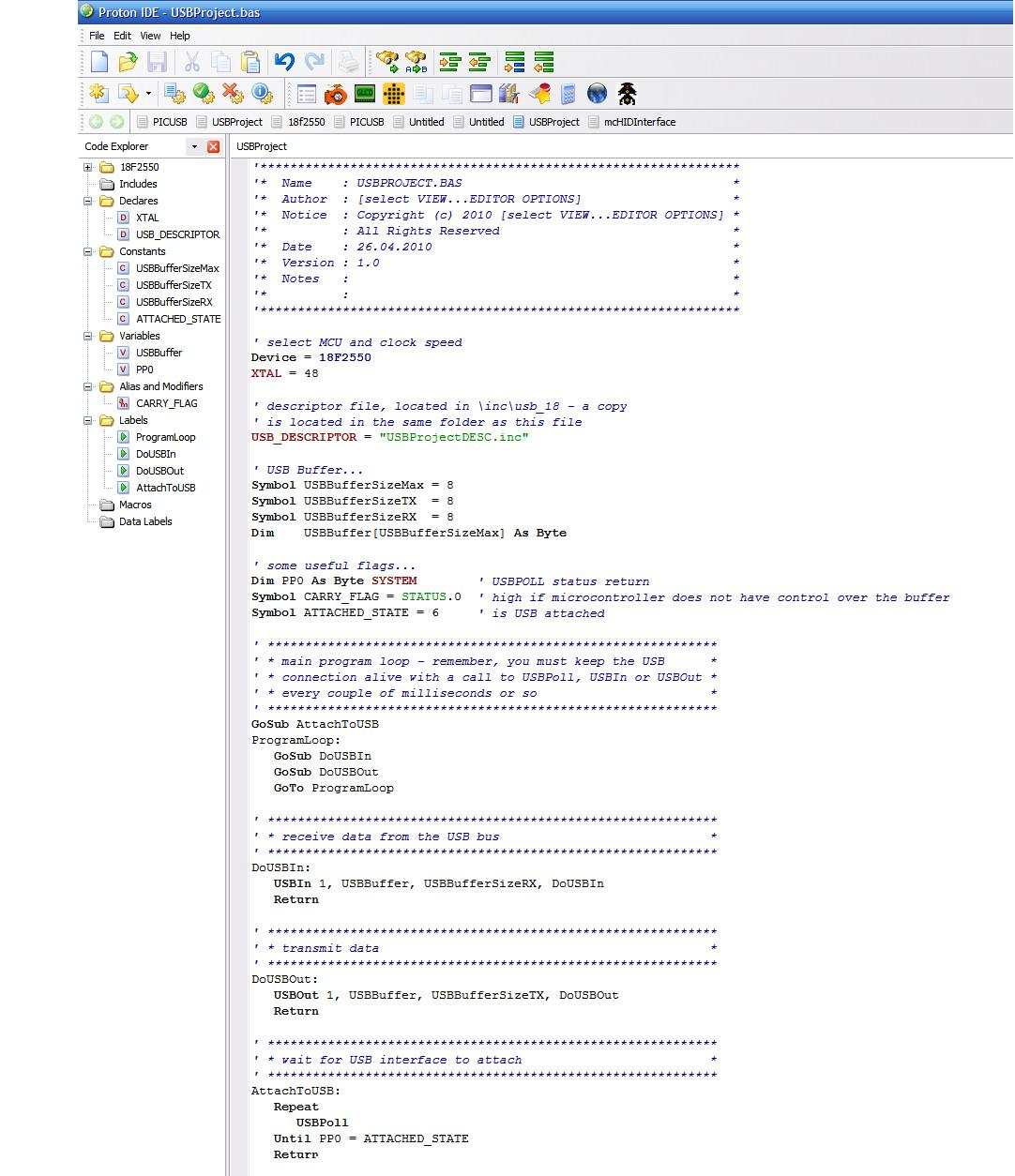
Proton içine easyhid kurulumu ve pic18f2550 usb veri gönderimi uygulama dosyaları;


merhaba muhittin hocam. bu programda vb 5 göre bir kod elde ediyoruz.
bende vb.net 2010 a yeni başlamış birisi olarak yetersiz kalıyorum. vb.net kodu içine işlenmiş örnek paylaşabilirmisiniz. pic içine atacağımız kısımda problem yok bu konuda döküman bulabildim. ama vb.net e göre bişey bulamadım. selamlar.
Merhaba;
Ben Proteus isis te fazla iyi değilim bu projeyi isiste açıp simüle edince(play’a basınca) usb analyzer-u2 çalışıyor. bu sanki benim usb portuma bu devre bağlıymış gibimi davranır bunu merak ediyorum. ?